Navigating Your Self-Service Toolkit
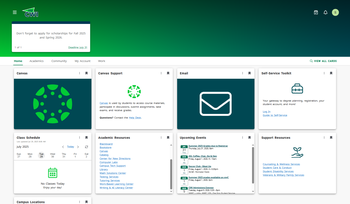
Your Self-Service Toolkit is accessed through myCWI.
- Log in to myCWI with your username and password.
- Click on Log In on the Self-Service Toolkit card to get started.
Menu
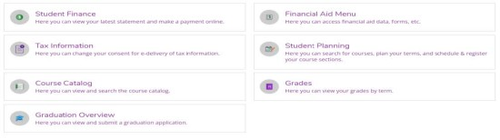
Your Self-Service Toolkit provides you access to:
- Student Finance
- Tax Information
- Course Catalog
- Graduation Overview
- Financial Aid Menu
- Student Planning
- Grades
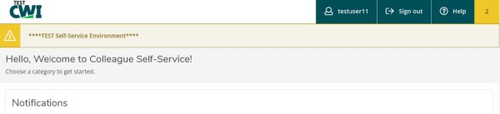
- On the top right of Self-Service, you can access your profile, view notifications, and explore help topics.
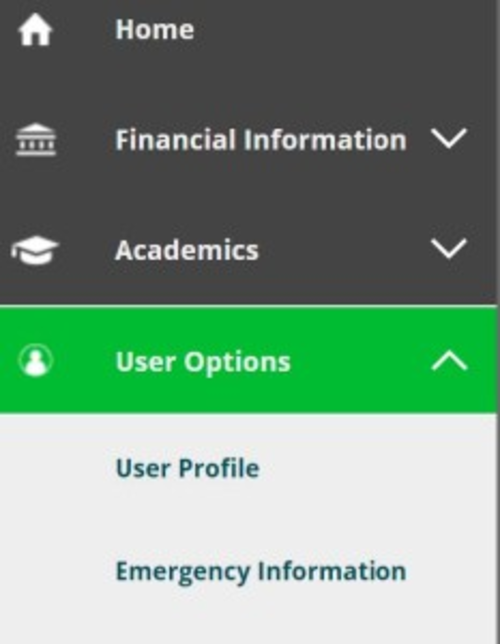
- In the left menu bar, you will find several icons. This menu is an additional way to access information in Self-Service.
- Hover over the icons to see the type of information covered by each.
- Click on the icon to expand each section and access more details.
Section Details
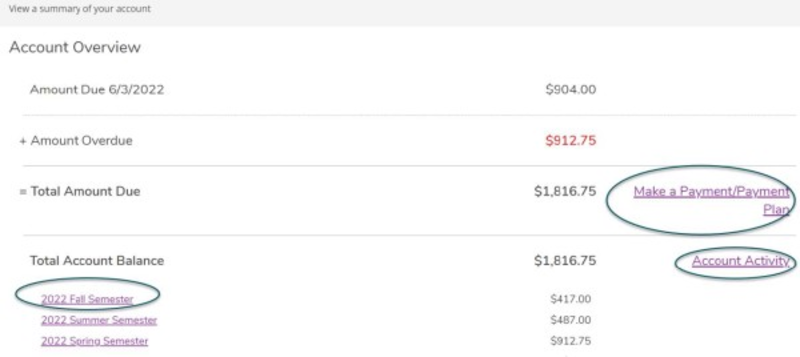
In the Student Finance section, you can:
- Review your account activity.
- View an account summary for present and past semesters.
- Select a semester under Total Account Balance for a detailed breakdown for each semester.
- Click on View Statement for a printable version of your account summary.
- Make a payment, or set up a payment plan.
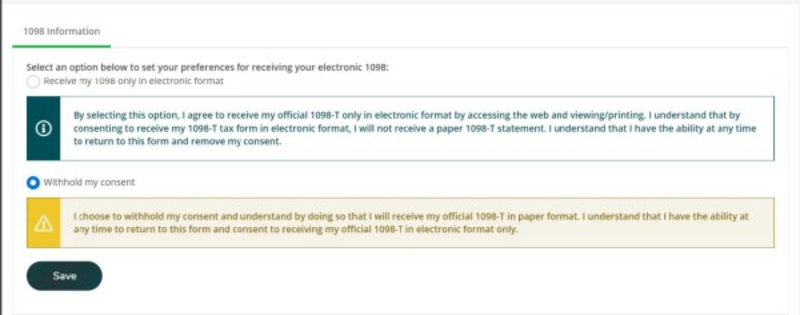
In the Tax Information section, you can:
- Give consent for an electronic version of your 1098-T Tuition Statement.
- Once you have opted to receive your 1098-T electronically, the tax form may be accessed here annually.
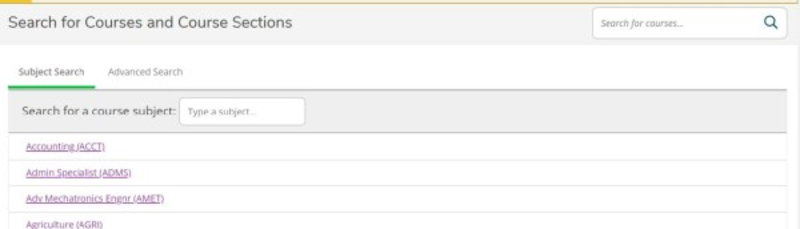
The Course Catalog section allows you to search for courses and course sections.
You may search for classes by:
- subject
- term
- start or end date
- day of the week
- location
- time
- type
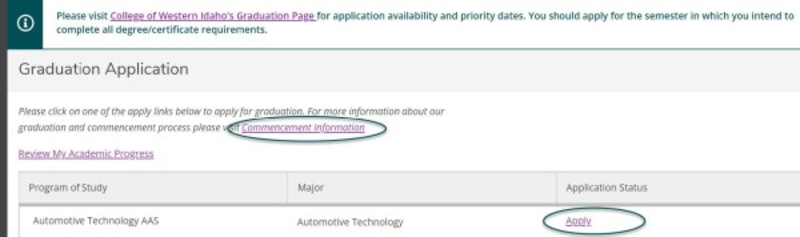
The Graduation Overview section allows you to:
- Review your academic progress.
- Apply for graduation.
- If your desired degree does not appear on the application, please contact your advisor.
- View information about commencement.
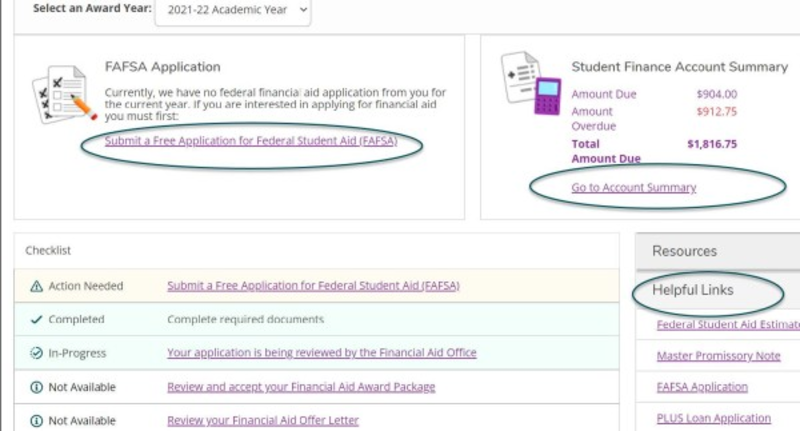
In the Financial Aid section, you can:
- Complete your Free Application for Federal Student Aid (FAFSA).
- View your account summary.
- Review a checklist of steps completed, in-progress, or still needed to complete your financial aid.
- Helpful links for additional financial aid options.
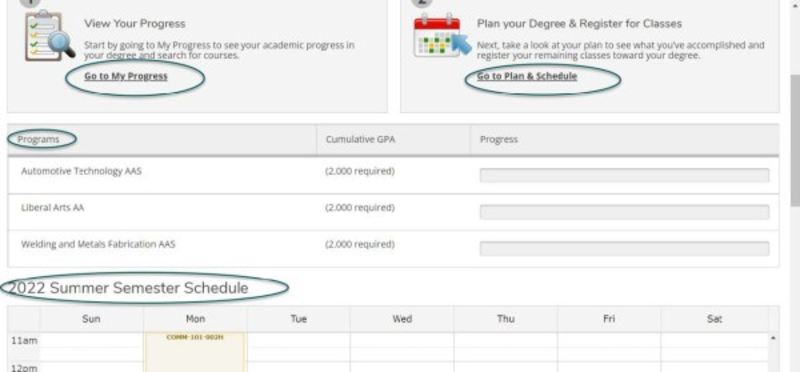
Student Planning allows you to:
- Plan your degree.
- Communicate with your advisor.
- Register for classes.
- Access your class schedule.
- View your progress toward completion.
The Grades section allows you to view your grades for each semester you have completed.
